


A prompt library is a collection of saved prompts that you can reuse. Each prompt has been tested on a task, so you start from something that works instead of a blank chat box.
Libraries can be personal or shared. A shared one lets a team use the same wording, structure and quality bar.
What a good saved prompt includes
| Part | Why it matters | Example |
|---|---|---|
| Clear title | You can find it again | Create a concise executive summary |
| Category | Groups related prompts | Writing, SEO, Social media |
| Placeholders | Marks what to fill in each time | [document], [audience], [length] |
| Constraints | Keeps output on target | Preserve key findings and caveats |
| Examples, if needed | Fixes the format | Two sample outputs, as in few-shot prompting |
Placeholders are the key part. They turn a one-off prompt into a template you can use for any input.
The prompt library in Sparkian
In Sparkian the prompt library opens from the plus menu in the chat box. Prompts are sorted into categories such as Branding, SEO, Writing and YouTube.
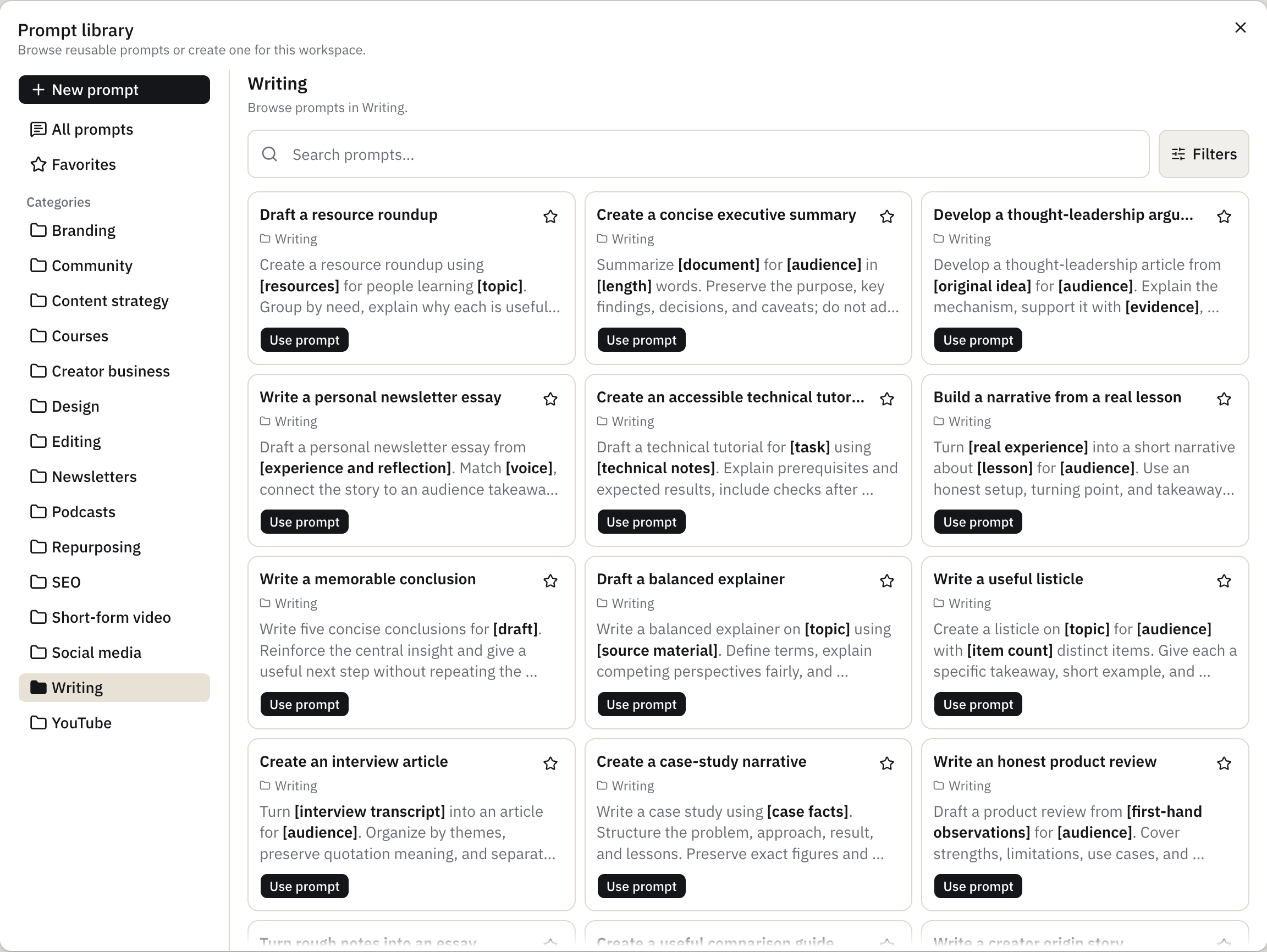
This is how I use it.
- Use prompt drops the template into the chat box. I replace the bracketed parts and send.
- Favorites keeps the prompts I use every week at the top.
- New prompt saves my own. New prompts are private by default. I can share one with a project or the whole workspace.
How to build your own prompt library
- Save prompts that worked. When an answer is good, save the prompt that produced it.
- Replace specifics with placeholders. Swap names, topics and data for bracketed fields.
- Test on new inputs. Run each prompt on two or three fresh cases before you share it.
- Name by task. “Summarize a sales call” is easier to find than “Prompt 12”.
- Prune often. Remove prompts nobody uses and update ones that drift.
Prompt library vs system prompt
A system prompt sets rules for every message in a chat or project. A saved prompt handles one task when you choose it. Use both. Put lasting rules in the system prompt and task steps in the library.
Saved prompts are also the first step toward an AI workflow. Chain a few of them and you have a repeatable process.