


An AI workflow is a repeatable process where AI handles one or more of the steps. The same input goes through the same steps each time, so you get consistent results without starting from scratch.
A one-off chat is not a workflow. Turning a webinar into a blog post, a newsletter and five social posts with the same prompts every week is.
Three levels of AI workflow
| Level | What it looks like | Example |
|---|---|---|
| Saved prompts | You reuse a tested prompt by hand | A template for meeting notes |
| Chained steps | One output feeds the next prompt | Transcript, then summary, then email |
| Automated runs | Triggers start the chain with no one watching | New support ticket gets a drafted reply |
Most teams should start at the first level. A good saved prompt delivers most of the value with almost no setup.
Build one from a prompt library
In Sparkian the prompt library holds reusable prompts sorted by category. Each one has placeholders in brackets that you fill in before you send it.
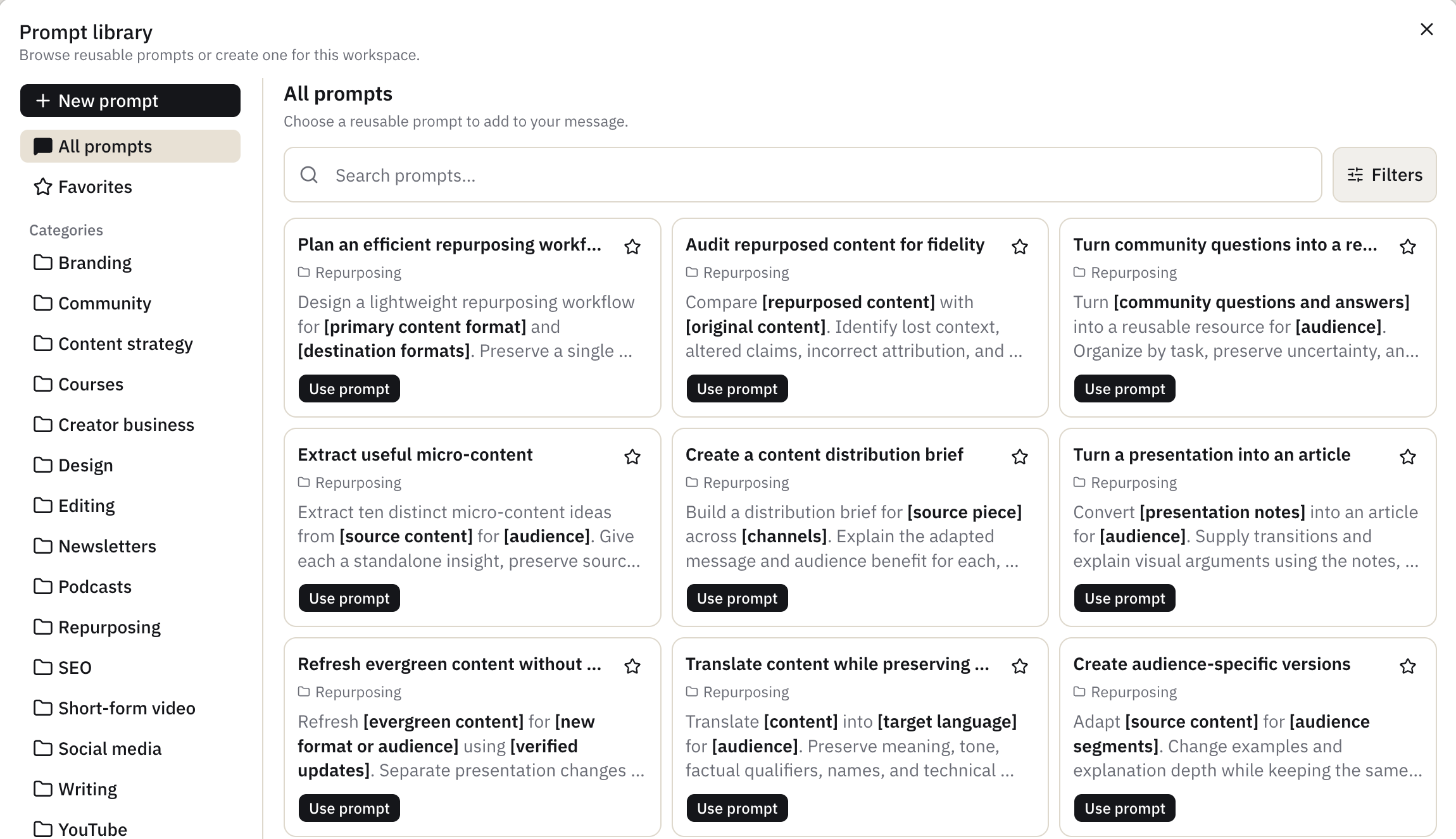
Here is a simple repurposing workflow built from three of these prompts.
- Extract useful micro-content from the source article for your audience.
- Create audience-specific versions for developers and for founders.
- Create a content distribution brief for LinkedIn, X and the newsletter.
Each step is a saved prompt. You paste the previous output into the next one. The work is consistent because the instructions don’t change.
Make a workflow reliable
- Put tone, format and rules in a system prompt or project, not in each message.
- Show one good output in the prompt. See zero-shot prompting for when that helps.
- An error in step one spreads to every later step.
- Pick the model per step, a fast model can extract and a stronger one can write.
For long multi-step runs with approvals and schedules, a dedicated automation platform is a better fit than a chat app.