


An AI knowledge base is a collection of your own documents that an AI model can search. When you ask a question, the system finds the relevant passages and hands them to the model. The model answers from those passages instead of from what it learned in training.
This is how you get an AI to answer about your product docs, policies or research notes. It is the practical form of retrieval-augmented generation.
How an AI knowledge base works
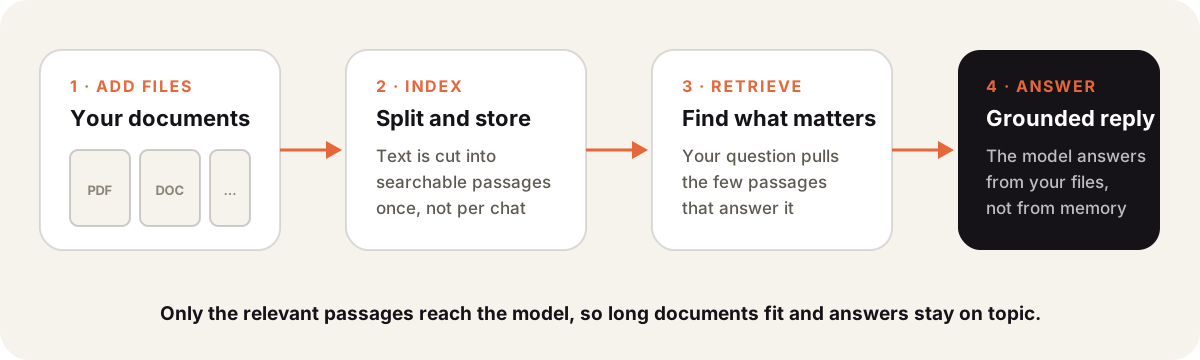
- Add files like PDFs, documents, spreadsheets or notes.
- Index. The system splits text into passages and stores them so they can be searched by meaning.
- Retrieve. Your question is matched against those passages, and the best few are selected.
- Answer. The model gets your question plus the passages and writes a grounded reply.
Retrieval is what makes long collections work. A model can’t read a thousand pages for every question, but it can read the ten paragraphs that matter.
Knowledge base vs uploading a file
| Upload to one chat | AI knowledge base | |
|---|---|---|
| Reuse | Gone when the chat ends | Available in every chat you choose |
| Size | Limited by the context window | Large collections |
| Team | Only you | Shared with a project or team |
| Upkeep | Upload again each time | Update the file once |
A knowledge base in Sparkian
In Sparkian you keep files in the Library and attach them to a project as reference files. Each project chat can then use them. By default the model gets relevant excerpts. Full-file reading is available when the model has tools for it.
A project with your style guide and product notes is a good start. Drafts in that project can use the right product names without you pasting the docs each time.
Limits to know
A knowledge base reduces AI hallucination, but it doesn’t remove it. If retrieval misses the right passage, the model may still guess. Ask for the source passage when the answer matters.
It works best with current files.