


AI memory is a feature that lets an AI chatbot remember facts across conversations. It might keep your job, your writing style or a project’s key decisions, and use them in later chats without you repeating them.
AI models themselves don’t learn from your chats. Each new conversation starts empty. Memory is an app feature that saves short notes and feeds the relevant ones back into the model’s context.
Three kinds of memory
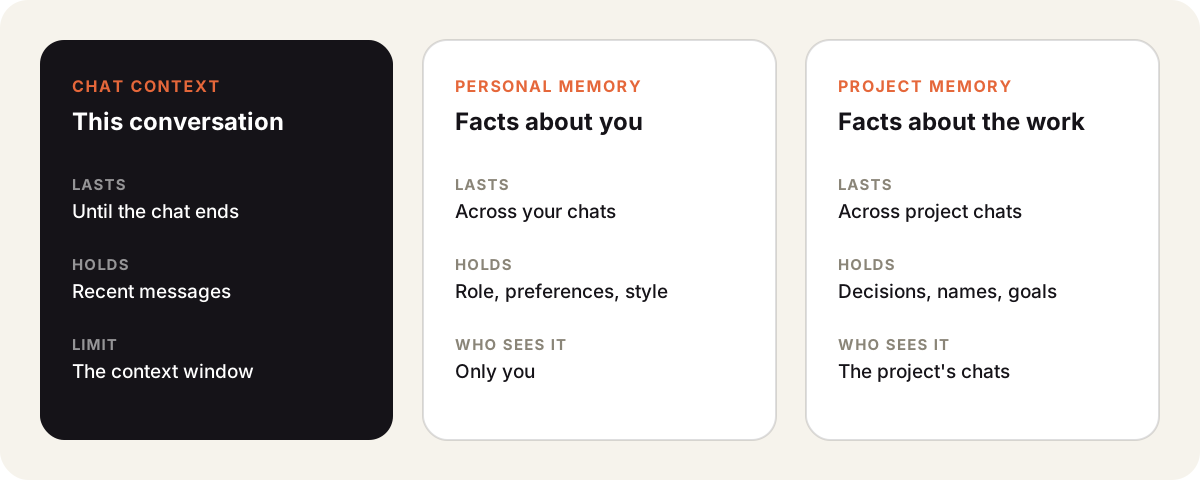
| Chat context | Personal memory | Project memory | |
|---|---|---|---|
| Lasts | One conversation | Across your chats | Across project chats |
| Holds | Recent messages | Role, preferences, style | Decisions, names, goals |
| Limit | The context window | What you allow it to save | What the project saves |
Chat context is not really memory. It is the conversation the model can see right now. Once it fills the context window, older messages drop out or get summarized.
AI memory in Sparkian
Sparkian has both long-term kinds.
- Personal memory remembers details across your private chats in a workspace. You turn it on in Settings and can review or delete saved memories.
- Project memory keeps facts for one project. With “Learn from conversations” on, it saves useful project facts automatically.
Each chat can switch project memory off when you want a clean slate.
Good and bad uses
Memory works well for stable facts. Your role, your audience, preferred units and the product names you use are good candidates.
It works badly for things that change. A price, a deadline or a draft status can go stale and mislead later answers. Put those in the message or in a file in your knowledge base.
Privacy
Memory is stored data about you. Check what an app saves, who can see it and how to delete it. In shared workspaces, keep personal facts in personal memory and work facts in project memory.