


A local LLM is a large language model that runs on your own computer or server. Your prompts never leave the machine, and it works without an internet connection. The trade-off is that your hardware sets the limit on how big and how fast the model can be.
Most people use cloud models such as Claude, GPT and Gemini. Those run in a provider’s data center and reach you over the internet.
Local LLM vs cloud LLM
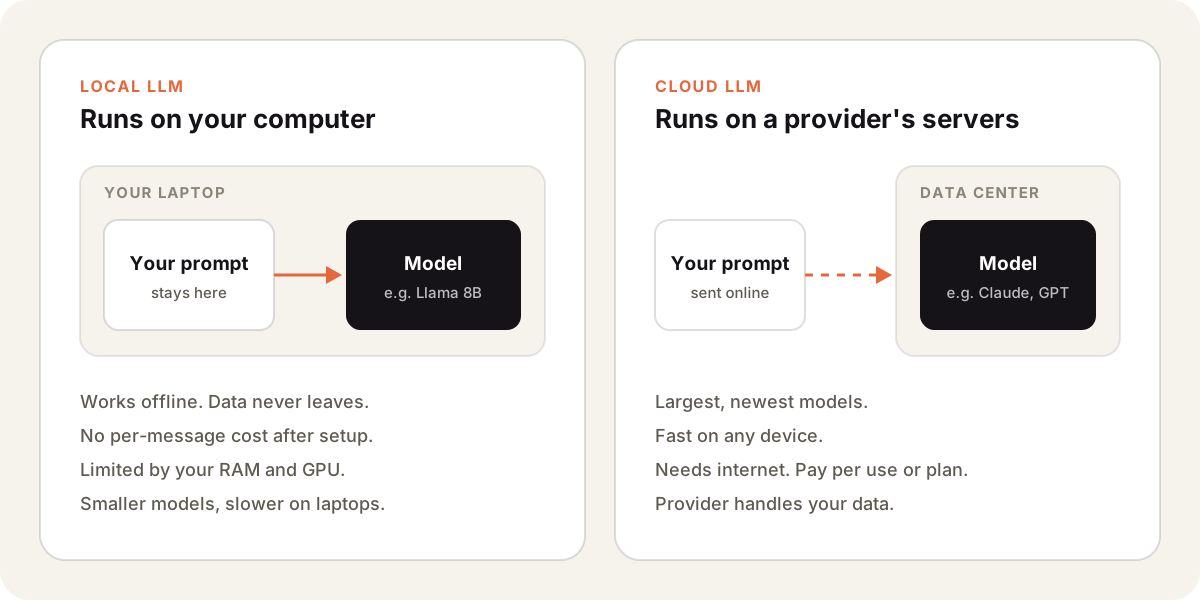
| Local LLM | Cloud LLM | |
|---|---|---|
| Where it runs | Your computer | Provider’s servers |
| Privacy | Data stays on your device | Provider processes your data |
| Internet | Not needed | Required |
| Model size | Limited by your RAM and GPU | Largest models available |
| Cost | Free after hardware | Plan or pay per use |
| Speed | Depends on your machine | Fast on any device |
What you need to run one
You need an open-weight model and an app that runs it. Popular apps are Ollama, LM Studio and llama.cpp. They download the model and give you a chat window or a local API.
Model files are large. On Ollama, Llama 3.1 8B is a 4.9 GB download and the 70B version is 43 GB. Those sizes use compressed weights. The model also needs that much free memory to run well, so a laptop handles small models and a large one needs a workstation.
When a local LLM makes sense
- Legal, medical or internal documents you can’t send to a third party.
- Offline work like flights, field work or locked-down networks.
- Testing prompts or fine-tuning without paying per request.
For daily work I use cloud models. The best ones are far larger than anything a laptop can run, and they answer faster. In Sparkian I can still pick open models like Llama, Qwen and DeepSeek when I want to compare them with closed ones.
Read more about open-source LLMs, the models you can download and run yourself.