


AI artifacts are standalone pieces of work an AI creates during a chat, such as a document, a code file, a diagram or a small web page. Instead of sitting inside a chat message, an artifact opens in its own panel. There you can edit it, keep versions and export it.
Anthropic made the name popular with Claude Artifacts. OpenAI calls its version Canvas. Sparkian uses Canvas as the tool and calls the output an artifact.
Artifact vs chat message
| Chat message | Artifact | |
|---|---|---|
| Where it lives | In the conversation | In its own panel |
| Editing | Ask the AI to rewrite it | Edit directly or ask the AI |
| Versions | Each reply is separate | Saved versions of one document |
| Export | Copy and paste | Download or copy as a file |
| Best for | Answers and discussion | Things you will keep and reuse |
A quick rule helps here. If you would copy the output into another app, it should be an artifact.
An artifact in Sparkian
I turned on Canvas from the plus menu in Sparkian chat and asked for a packing checklist for a two-day hike. The reply showed a short summary and a preview card. Opening the card put the checklist in the editor.
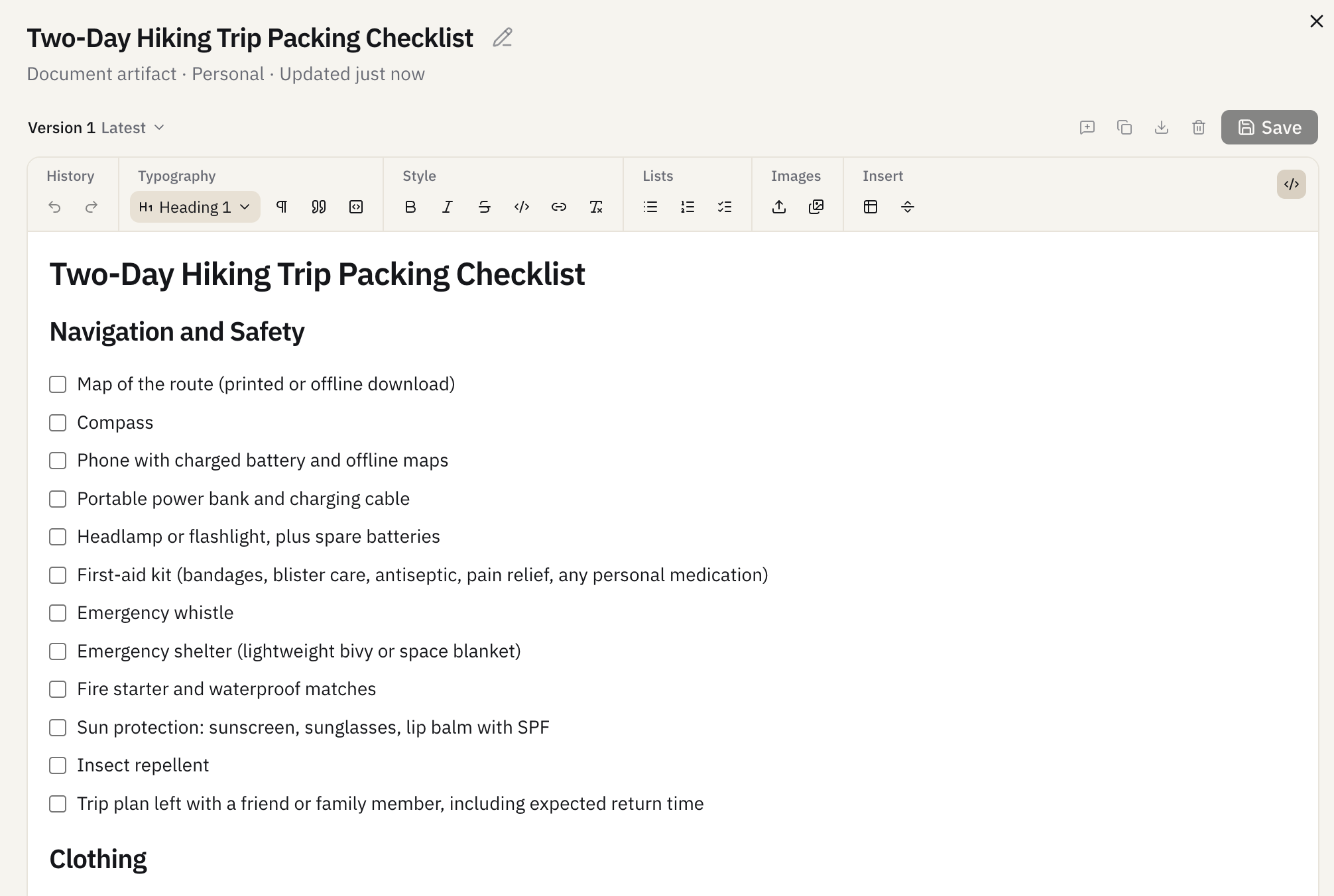
The panel shows the artifact type, who can see it and when it was updated. Version 1 is saved, and the toolbar covers headings, lists, checkboxes, tables, links and images. The checklist is editable in place, and Save stores a new version.
Common types of artifacts
- Documents. Reports, checklists, plans and drafts.
- Code. Scripts and components you can copy or download.
- Diagrams. Flowcharts and sequence diagrams.
- Web pages. Small interactive pages and prototypes.
- Data. Tables and charts built from your numbers.
Why artifacts help
Chat is good for thinking out loud. It is bad for keeping a clean final version. Artifacts separate the two, so the conversation can wander while the document stays tidy.
They also make follow-up edits cheaper. Asking for a change to one section updates the artifact instead of reprinting the whole thing in a new message.